Deadlock cheats: how to read the feature list
Use the seller listing as the source of truth for Deadlock modules: ESP, aim assist, radar, and utilities ? names and limits change every patch.
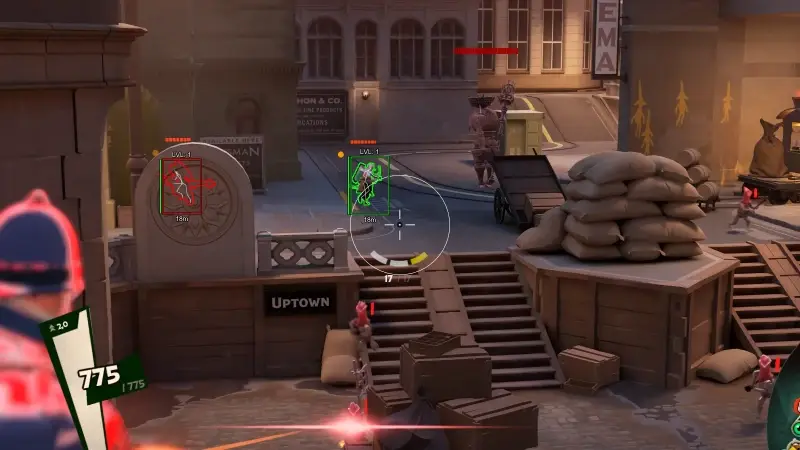
Feature marketing uses overlapping words: ESP, wallhack, skeleton, radar, mini-map assist, aimbot, smoothing, trigger, or "legit" presets. Only treat a capability as included if it appears on the current Deadlock product page at checkout time ? screenshots, YouTube, or last month's PDF do not count.
How to read a typical module table
Look for limits: max ESP distance, FOV for radar widgets, whether skeletons or boxes are separate toggles, and cooldown or smoothing knobs for aim. If the table is silent on a detail, ask support before you assume. Pair this page with Deadlock cheats explained for big-picture vocabulary.
Tier names vs reality
Lite, Pro, and Elite are convenient labels on cheatsdeadlock.net — the listing defines which rows apply. Read Lite vs Pro and Elite tier when comparing bundles, then still confirm every bullet on the live page.
Questions to ask before paying
- Which Windows builds and game branches are supported today?
- What is included in Lite vs Pro vs Elite on the listing ? line by line?
- How does the seller announce downtime after game or anti-cheat updates?
- Are stream or capture modes documented ? see stream checks.
After purchase
Browse all product tiers, cross-check with the live module table, then follow setup safely. On patch day, re-read the table before enabling everything at once.